Interactive 3D product configurators are transforming the way customers shop for configurable products. A 3D configurator lets shoppers interact with a 3D model of a product and make customizations such as colours, materials and dimensions. By allowing users to change these elements and see the result instantly, configurators create a tangible, immersive experience that significantly influences purchasing decisions.
Conficus specialises in building custom 3D product configurators and CPQ (Configure-Price-Quote) systems for furniture, modular housing and other configurable industries—helping businesses sell made-to-order products online without friction.
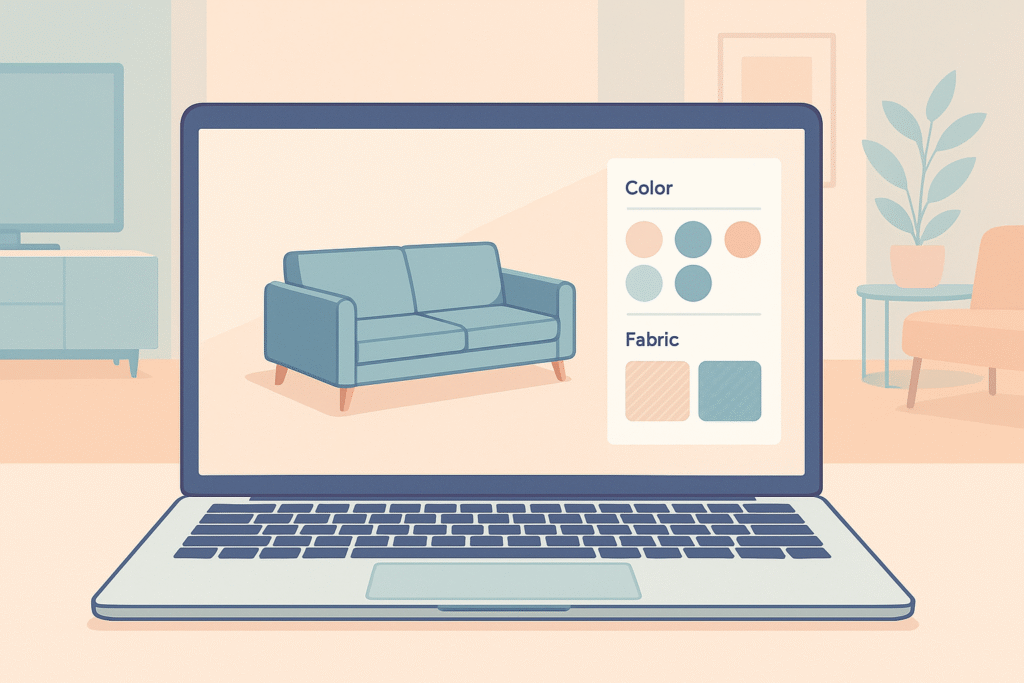
What Is a 3D Product Configurator?
A 3D product configurator displays a digital model that customers can rotate, zoom and modify in real time. When integrated into an e-commerce site, it becomes both a visual tool and a powerful sales engine.
Conficus’ configurators for design furniture let customers build their perfect sofa, chair or table directly in the browser. Users can switch fabrics, colours, legs and modules within an interactive 3D view, while the system updates price and dimensions automatically. This reduces uncertainty, builds trust and drives more online sales by showing buyers exactly what they will receive.
Embedding a configurator on your website allows visitors to adjust colours, materials, dimensions and accessories while instantly seeing how each option affects the product’s appearance and price. For businesses, this real-time visualization reduces manual quoting, lowers return rates and increases conversions.
Planning Your Configurator
1. Define the Goals and Scope
Every successful configurator begins with clear objectives. Before development, determine:
- Which products will be configurable
- What level of customization you want to offer
- How the configurator will integrate with your existing systems
- What your target audience expects
Well-defined requirements ensure the tool serves both business and customer needs.
2. Gather and Prepare 3D Assets
High-quality 3D models are essential. Use professional tools such as Blender, Autodesk 3ds Max or Cinema 4D to create accurate models.
Export them in web-friendly formats like FBX, OBJ or glTF and include all necessary texture and material files.
Models should be optimized for fast loading and smooth performance on desktop and mobile devices.
3. Outline Customization Logic
List all customization options and how they connect:
- Which parts of the product can change?
- Which options depend on others?
- How do different configurations influence price?
This logic becomes the “brain” of your configurator. Conficus’ system can process this automatically, updating pricing and dimensions in real time as users make selections.
Building with Conficus
Selecting a Development Approach
There are three primary paths:
In-house development
Build the configurator yourself using WebGL frameworks like three.js. This gives full control but requires technical expertise.
Using Conficus’ platform
Conficus provides the 3D engine, rendering, logic and CPQ integration—ideal if you want to launch quickly or prefer a no-code/low-code approach.
Custom agency development
For complex or unique products, Conficus (or another agency) can build a fully tailored solution and integrate it with your CRM or ERP.
Designing the User Interface
The UI is where the customer interacts with the product. It should be:
- Intuitive
- Clean
- Mobile-optimised
Use clear controls such as swatches, dropdowns or floating panels. Add hotspots and icons to highlight features.
Real-time updates are essential—changes must appear immediately on the 3D model. Conficus configurators also update price and product dimensions the moment a selection is changed.
Integration and Deployment
Once the configurator is built:
- Embed it into your website or product pages
- Connect it with your product database
- Ensure it updates price and product variants instantly
- Make sure it works smoothly with your checkout system
Conficus supports integration with Shopify, WooCommerce and other common platforms.
Before launch, test the configurator across devices and browsers to catch performance or compatibility issues.
Monitoring and Optimizing
After launch, track:
- Where customers drop off
- Which features they interact with most
- How long they stay engaged
Use these insights to refine the UI, adjust options or improve performance. Strong configurators evolve over time based on real user behaviour.
Conclusion
Building a 3D product configurator with Conficus blends strategic planning, strong 3D assets, thoughtful UX design and robust e-commerce integration.
By defining your goals, preparing accurate models, mapping customization logic and choosing the right development approach, you can create a configurator that enhances customer experience and boosts sales.
Conficus configurators let shoppers change fabrics, colours, dimensions and accessories while the system automatically updates price and size—reducing uncertainty and increasing conversions.
With proper testing and ongoing optimisation, a Conficus-powered configurator can transform your online store and give your brand a significant competitive edge.